
Forgot SSO ID & Password – Rajasthan SSO Recovery Guide
Forgot your Rajasthan SSO ID or password? You can use the official SSO recovery options to regain access to your account. The Rajasthan SSO Portal provides different recovery methods depending on whether you are a citizen, business user, or government employee.
How to Reset a Forgotten SSO Password
If you remember your SSO ID but cannot remember the password, you can reset it through the official recovery option.
- Open the official Rajasthan SSO login page.
- Select “Forgot Password”.
- Enter the SSO ID and other details requested on the recovery page.
- Choose an available verification method, such as mobile, email, or Aadhaar/VID.
- Complete the captcha and verification process.
- Follow the recovery link or instructions provided by the portal.
- Create and confirm your new password.
- Return to the login page and sign in using your updated password.
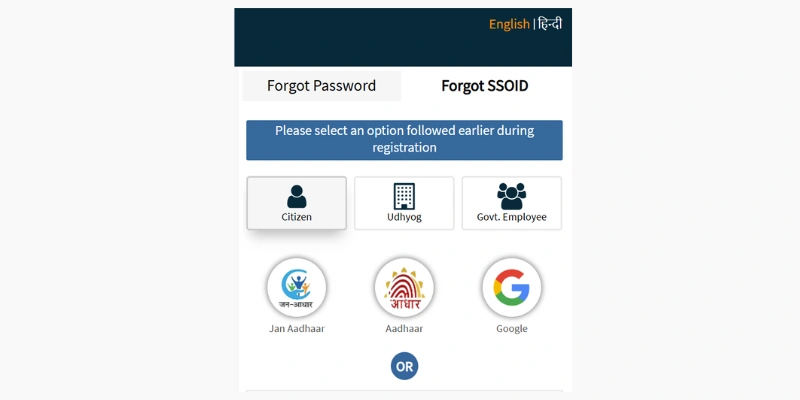
Recover SSO Password Using a Mobile Number
A registered mobile number can be used as a recovery method when the option is available for your account.
- Open the SSO password recovery page.
- Enter your SSOID and required email details.
- Select the Mobile verification option.
- Enter your registered mobile number.
- Complete the captcha and submit the request.
- Follow the recovery link or instructions received on your registered mobile.
- Set a new password and save the changes.
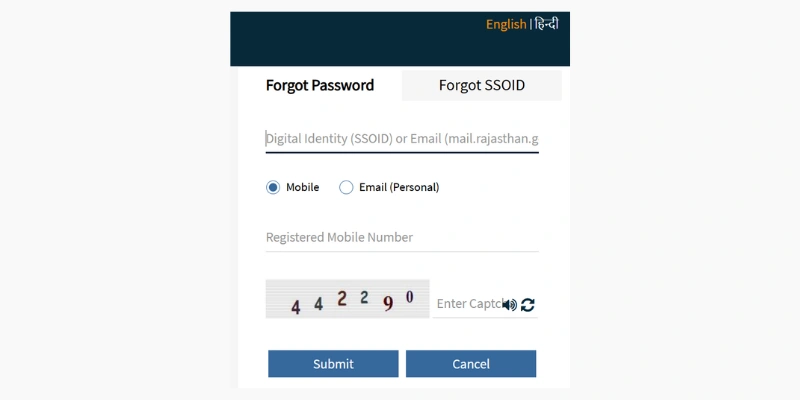
Reset SSO Password Through Email
You can also use your registered email address if the email recovery option is available.
- Visit the official SSO password recovery page.
- Enter your SSOID and registered email address.
- Select the Email recovery option.
- Complete the captcha verification.
- Submit the recovery request.
- Check your registered email for the password-reset instructions.
- Use the provided link to create a new password.
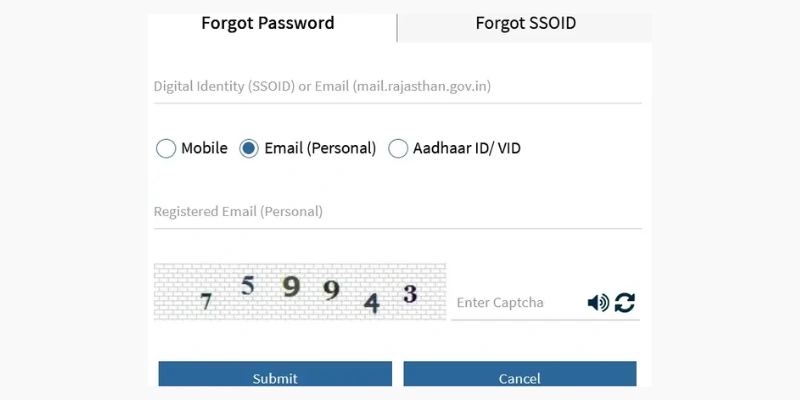
SSO Password Recovery Using Aadhaar ID or VID
For accounts that support Aadhaar-based recovery, you can use your registered Aadhaar ID or VID.
- Open the official SSO recovery page.
- Enter your SSOID and required email information.
- Select Aadhaar ID/VID as the verification method.
- Enter the Aadhaar details requested by the portal.
- Complete the captcha and submit the form.
- Complete the verification process.
- Use the recovery instructions sent to your registered contact details to create a new password.
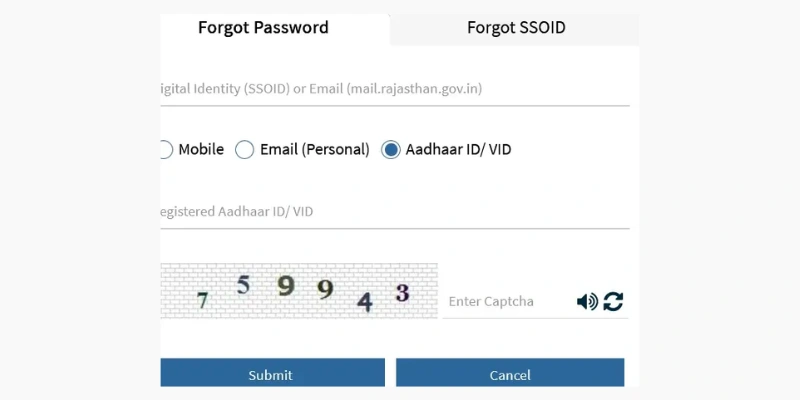
How to Recover a Forgotten SSO ID
If you have forgotten your SSO ID itself, the recovery process depends on your registration category.
Recover SSO ID as a Citizen
Citizens can use the “I Forgot my Digital Identity (SSOID)” option on the official SSO portal.
- Visit the Rajasthan SSO website.
- Select “I Forgot my Digital Identity (SSOID)”.
- Choose the Citizen option.
- Select the identity method available for your account.
- Provide the required information for verification.
- Complete the verification process.
- Your SSO ID will be displayed or sent through the contact method supported by the portal.
Depending on the registration details, available identification options may include:
- Jan Aadhaar
- Aadhaar
- Bhamashah
- Other supported account-based verification options
Recover SSO ID for Business Users
If your SSO account was created under the Udyog category, use the business recovery option.
- Open the official Rajasthan SSO portal.
- Select “I Forgot my Digital Identity (SSOID)”.
- Choose Udyog.
- Enter the business identification details requested by the portal.
- Complete the verification process.
- Follow the instructions provided to retrieve your SSO ID.
Business identification may include details such as Udyog Aadhaar or SAN (Sanstha Aadhaar Number), where applicable.
Recover SSO ID for Government Employees
Government employees can use the employee-specific recovery option available on the SSO portal.
- Go to the official Rajasthan SSO website.
- Click “I Forgot my Digital Identity (SSOID)”.
- Select Government Employee.
- Enter the required SIPF-related details.
- Complete the verification requested by the portal.
- Follow the on-screen instructions to retrieve your SSO ID.
Tips for SSO Account Recovery
Keep these points in mind when recovering your account:
- Always use the official Rajasthan SSO website.
- Make sure your registered mobile number or email is accessible.
- Enter your details exactly as requested.
- Never share an OTP or password with another person.
- Create a strong password after completing the reset process.
- If a particular recovery option is not displayed, use the methods currently offered on the official portal.
Final Note
Whether you have forgotten your SSO ID or password, Rajasthan SSO provides dedicated recovery options for citizens, businesses, and government employees. Choose the option that matches your account type and complete the verification steps shown on the official portal.